
Gardening app
2023 · 7 minutes read
Care, share, grow
After the COVID-19 lockdown, millions of people filled their homes with plants, and many watched them die. This app was created to investigate why, to assist, connect, and promote sustainable care. Can an app teach you to care without taking away your desire to try?
UX research
Interaction design
Wireframing
Research
Before designing, it was essential to understand who I was targeting, who would use the app. I immersed myself in the field of home gardening and discovered that after the COVID-19 lockdown, there was a significant increase in interest in plants among young people aged 25 to 45. Having been away from greenery for more than three months created a desire to fill their homes with life. This desire was heightened by a need to improve their emotional well-being and by the influence of social media.
However, I also detected common shortcomings in care: watering errors, a lack of understanding of the specific needs of each species, and a tendency towards impulsive buying in supermarkets, resulting in frustration when the plants died because they were not well-rooted due to improperly forced growth.
Target audience
To dive deeper, I interviewed some people belonging to the target audience. In them, I identified three pillars on which the app should be built: providing personalized assistance in care, promoting local and sustainable plant consumption, and creating a support community among users. A benchmarking and a survey helped triangulate the data, while also revealing a gap: current apps do not connect users with each other, nor do they consider geolocation or environmental impact in care.
With these insights, I modeled two user personas, Cristina and Marisol. Cristina represents someone who is starting in home gardening, while Marisol is an active professional in the field. Having them as a reference ensured that both the needs of beginners and experts were covered, empathizing with their realities.
Cristina
25 years old, learner user
Who is it?
•
Lives in a small urban apartment, recently independent.
•
Medium or low purchasing power
•
Level of education medium or high
•
Computer knowledge at the user level. Handles apps and web easily.
•
Follow the latest trends on Instagram about decoration
•
Loves houses filled with plants
•
He only has knowledge of home gardening.
•
Do you have pets at home?
What do you want?
•
Easy-to-care-for plants
•
May they be healthy
•
Learn to take care of them
•
Assistance and monitoring
•
Share your progress with other users
What difficulties does it have?
•
He doesn't know why his plants are dying.
•
He doesn't know how, how much, or how often he should water them. Sometimes he over-waters them.
What do you need?
•
Personalized care plan
•
May the plants not die with the slightest inconvenience.
•
Help with problem identification
•
Plants that are not toxic to your pets
•
Guidance for carrying out certain actions, such as transplanting
Definition of needs
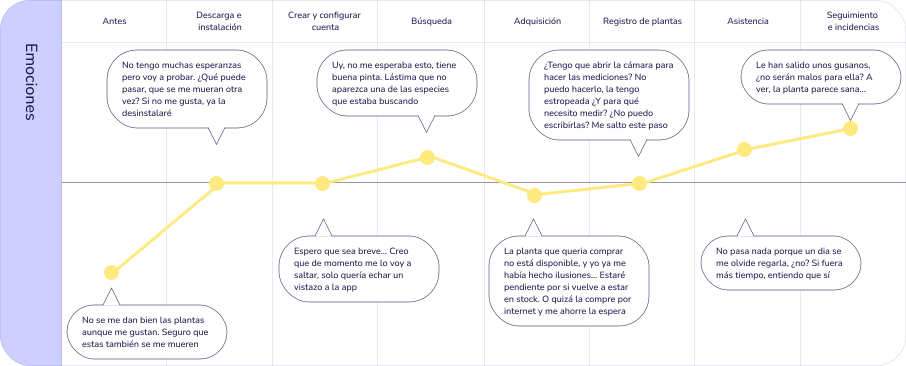
Each of the user persona had different needs: Cristina was looking for simple assistance to keep her plants alive and learn how to care for them, while Marisol needed digital tools to give visibility to her flower shop and improve her sales. Once modeled, I generated their scenarios and user journeys analyzing the emotions and frustrations that arose in each interaction to detect opportunities for improvement.
This analysis helped me build a list of requirements, not only functional but also emotional and environmental, that would guide the design of the app. The app was not to be limited to providing personalized assistance: it also had to promote local commerce and build a community that learns, shares, and grows together.
Fragment of Cristina's user journey
Information architecture
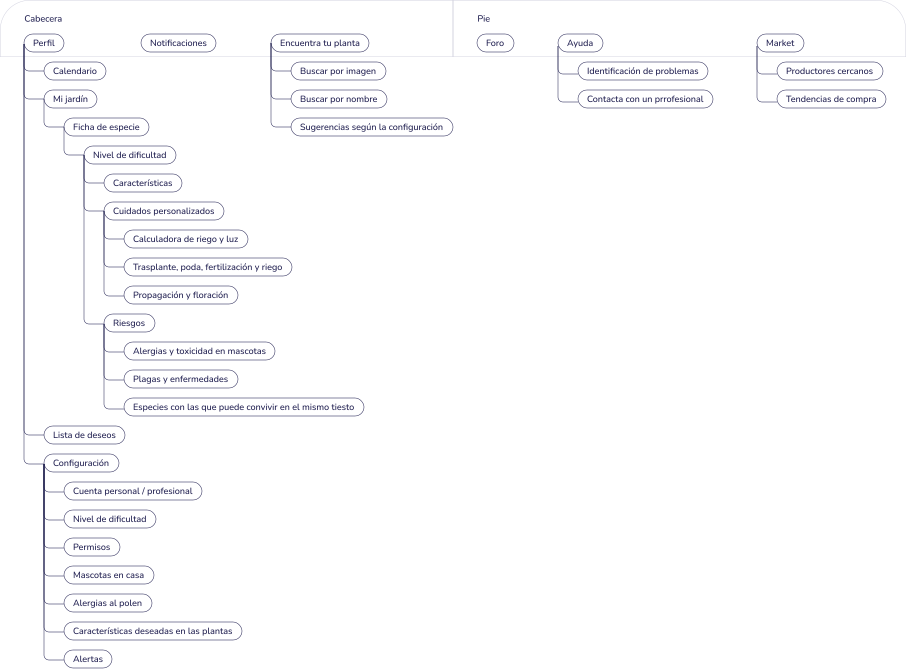
With this list of requirements, I organized the information into an inventory of ambiguous schema content and tested it on users with an open card sorting. In it, participants were to group a total of 41 cards, each with an element from the inventory, and name those groups in order to analyze how they organized the information and what names they used.
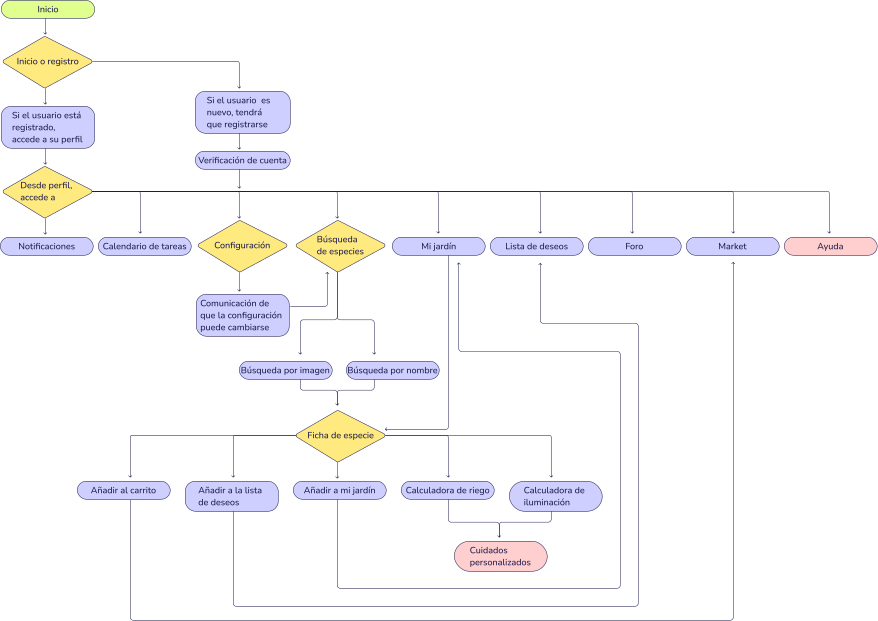
This activity revealed patterns of organization, leading me to iterate on the initial hierarchy and create new categories. With these findings, I designed a content tree with four levels that captures the structure of the app. Subsequently, I drafted a flowchart that maps the interaction within it and sketched the main screens, thus laying the foundations for the functional prototype.
Iterated table of contents
Flowchart
Wireframes and usability evaluation
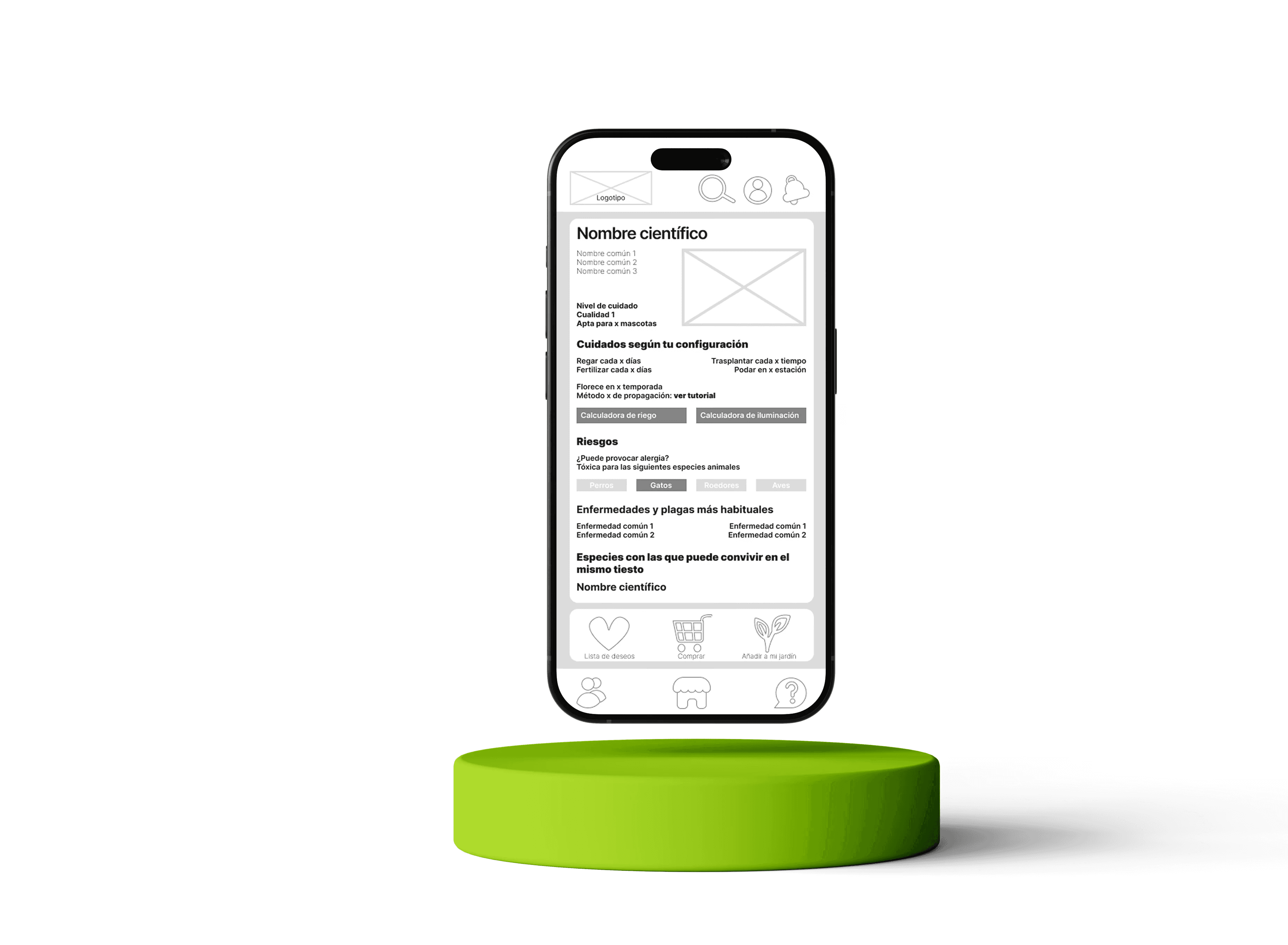
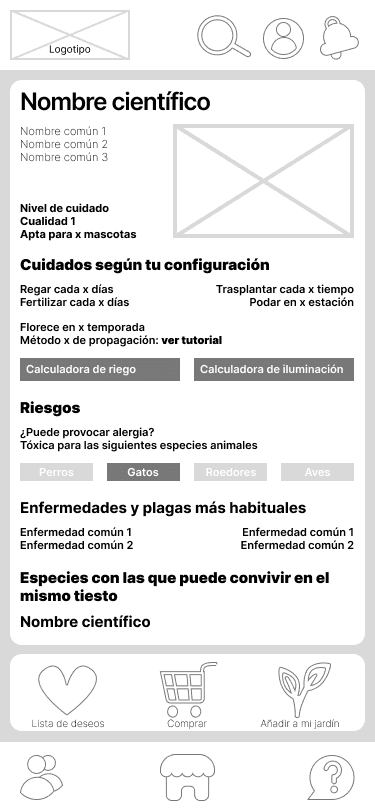
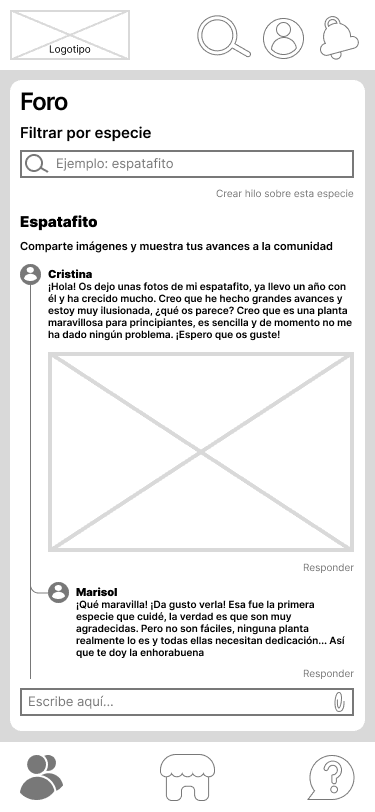
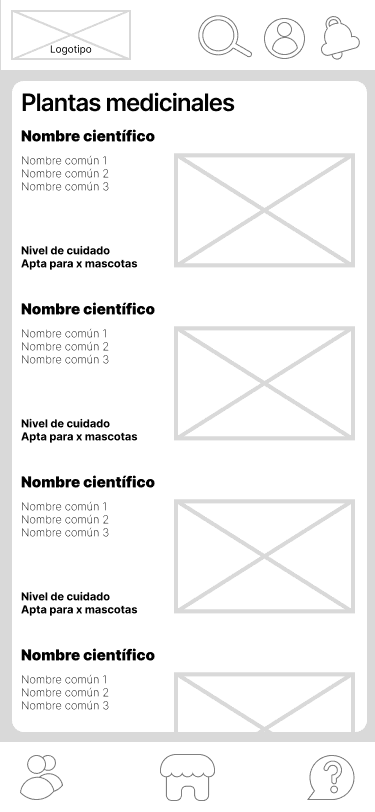
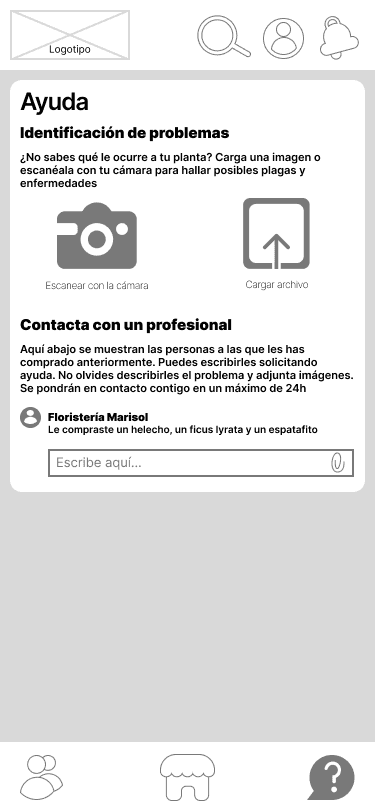
Finally, I created a low-fidelity interactive prototype to represent the structure and interaction of the app. The designed screens include different structures such as lists, image uploads, and pop-ups that appear based on the displayed content. To evaluate its usability, I retested with users, this time using the think-aloud technique: I presented a total of five actions they had to perform within the app, and they had to verbally describe their thoughts and feelings while interacting with it.
This testing revealed common difficulties, mainly in locating the help category and in navigating the market. These findings pave the way for a next iteration that enhances the user experience, and now, it’s time to design the interface graphics.
Conclusions
The research set the course: an architecture validated with real users and a low-fidelity prototype evaluated through think-aloud. The tests revealed difficulties in locating help and in navigating the market, which will inform the next iterations.
The next step would be to resolve those frictions and address the design of the graphic interface, translating all the research work into a visual proposal that is coherent with the values of the app: proximity, sustainability, and community.